that does sound super useful
- 2 Posts
- 230 Comments
Joined 11 months ago
Cake day: January 5th, 2024
You are not logged in. If you use a Fediverse account that is able to follow users, you can follow this user.
What is reveal codes?
It could be painful for a cat to walk on this. Or just deeply uncomfortable. I don’t see this as some silly thing.
Cute cat! Nice to see she has ways around it.

I believe there’s a setting for whether it’s global or per-window. Personally I prefer global, because I can’t keep track of more than one state and I absolutely hate the experience of typing something and getting a different language than you expect.
That’s pretty cool
Multilingual users have multiple keyboard layouts, usually switching with Alt+Shift or similar key combo. If you’re multitasking you might not realize you’re on the wrong keyboard layout. So say you’re chatting with someone in Russian, then you alt+tab to your source code and you spot a typo - you wrote
my_var_xopyinstead ofmy_var_copy. You delete the x and type in c. You forget this happened and you never realized the keyboard layout was wrong.That c that you typed is now actually с, Cyrillic Es.
What do you say, is that realistic enough?
Oh, that I agree with. But then there’s the mess of Unicode updates, and if you’re using an old version of the compiler that was built with an old version of Unicode, it might not recognize every character you use…
Sanity is subjective here. There are reasons to disallow non-ASCII characters, for example to prevent identical-looking characters from causing sneaky bugs in the code, like this but unintentional: https://en.wikipedia.org/wiki/IDN_homograph_attack (and yes, don’t you worry, this absolutely can happen unintentionally).
Yes, but the language/compiler defines which characters are allowed in variable names.

 16·2 months ago
I am not an explosives expert, but I’ve seen enough YouTube videos about explosives to know that not all explosives explode in fire. Some are incredibly stable at extreme conditions right up until deliberately triggered. It all depends on the type of explosives.
There may still be ways to detect them, but it’s not necessarily going to be that simple.
That’s a problem when you get to the fourth.
Embedded for convenience:
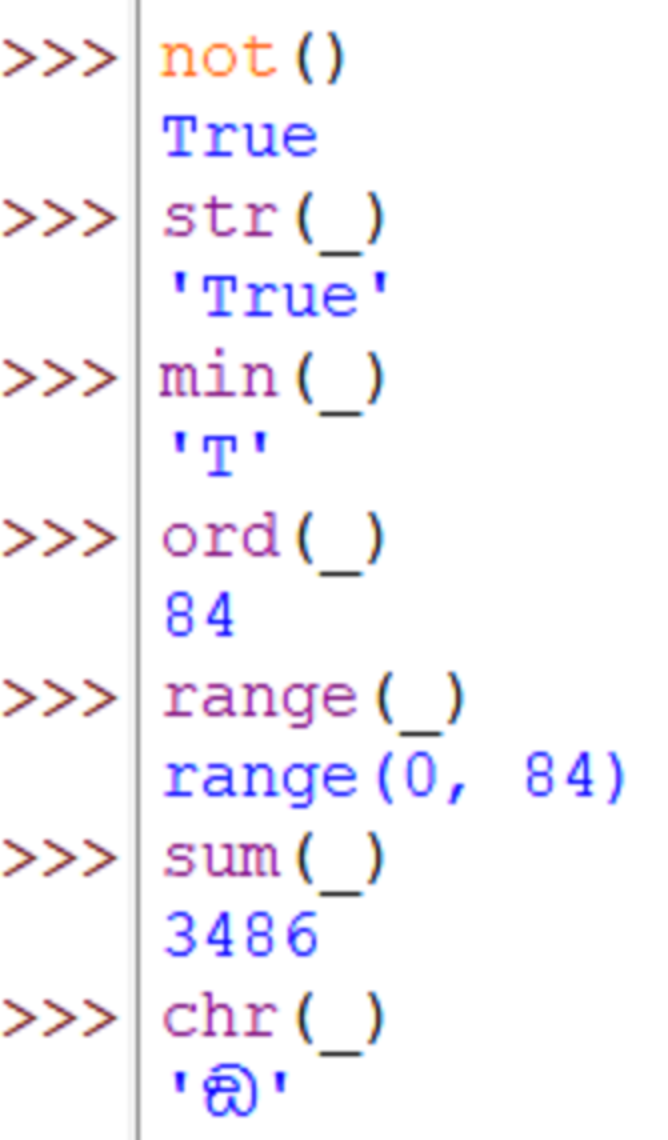

Wherever is reading this, this article is worth looking at. Just trust me.

There’s likely a clearer error if you scroll up.

I will always use the GUI for this when given the option. Change my mind (you can’t).
 4·2 months ago
I agree on the merits, but the contrarian in me has to point out that any company is a monopoly through some convoluted interpretation. For example: Logitech has a monopoly on mice and keyboards that work with their proprietary software.
That’s a good theory.

Is this a cat named Finn or is this a Finnish cat? Or both?
 12·3 months ago
JavaScript is not named after an animal


Why is the text so weird… Is this AI generated? It’s gotta be.